Reels Skills for Claude Code
Talking Head to Finished Reel with Captions, Cards, Counters and 3D Posters
One free skill from Reels Skills for Claude Code. Claude transcribes your clip on your computer, corrects names and numbers, splits the words into short readable pages and burns them in, each word animated as it is spoken.
Claude Code on Windows, macOS and Linux. Free.
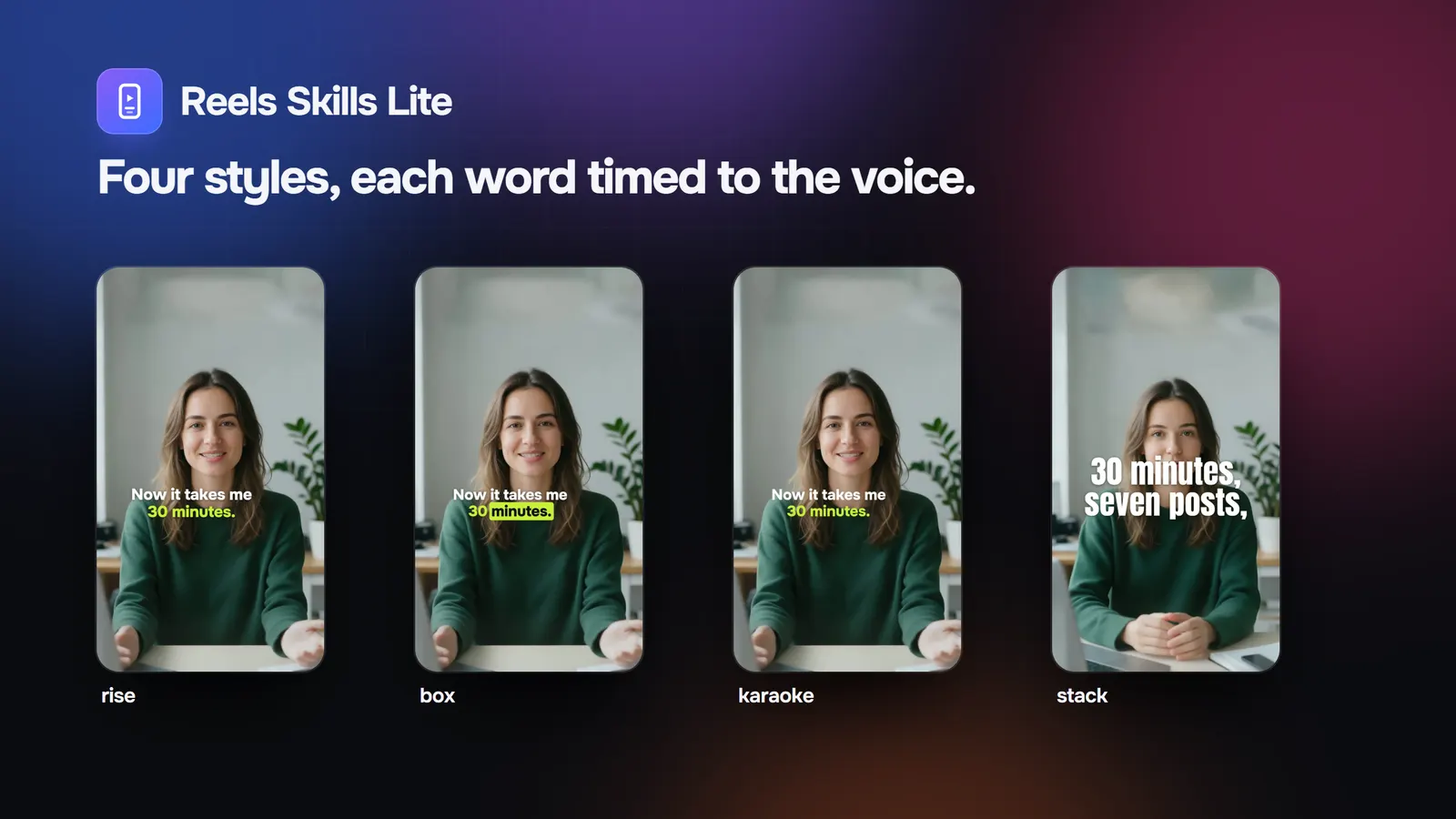
Rise (words rise into focus), box (an accent box travels to the spoken word), karaoke (words fill in as spoken) and stack (one to three big words).
The words you pick stand out: the number, the promise, the key word.
Pages break at sentence ends, pauses and commas and never leave a lone last word.
Every caption stays inside the Reels, TikTok and Shorts safe zones and is checked before the render.
Cuts long pauses with jump cuts if you want, and mixes the sound to -14 LUFS.
Every caption style with pictures, and what to do when something fails.
Get it on Gumroad: type 0 as the price at checkout.
Unzip the download and copy the skill folder into ~/.claude/skills with the command in the README.
Start claude in the unzipped folder and paste: Add TikTok style captions to examples/sample-talking-head.mp4 and highlight the numbers.
Yes. Enter 0 at checkout. If it helps you, you can pay what you like.
A folder with written instructions (SKILL.md) and, here, the scripts and templates that do the work. Claude Code reads the instructions when your request matches and follows them step by step. You install a skill by copying its folder into ~/.claude/skills.
No. You copy the folders once with the commands in the README and ask in plain words, for example: Turn my-clip.mp4 into a reel with captions. Claude runs the setup check, the transcript, the cut and the render, and looks at the frames before it hands you the file.
No. Graphics are HTML drawn by your own Chrome or Edge through Playwright, and ffmpeg puts them over the clip. Nothing is uploaded.
Five more skills: the whole talking-head to reel workflow, info cards, animated counters, 3D paper poster scenes and a safe-zone checker for any video.
Free Kinetic Captions Skill for Claude Code
Need help after you buy? Reply to your receipt email and describe what happened. We will help you get it running.
Talking Head to Finished Reel with Captions, Cards, Counters and 3D Posters
2 Free Claude Code Skills for Hooks and Captions in Your Voice
Free Offline Tool to Test Reels, TikTok and Shorts Frames