Reels Skills Lite
Free Kinetic Captions Skill for Claude Code
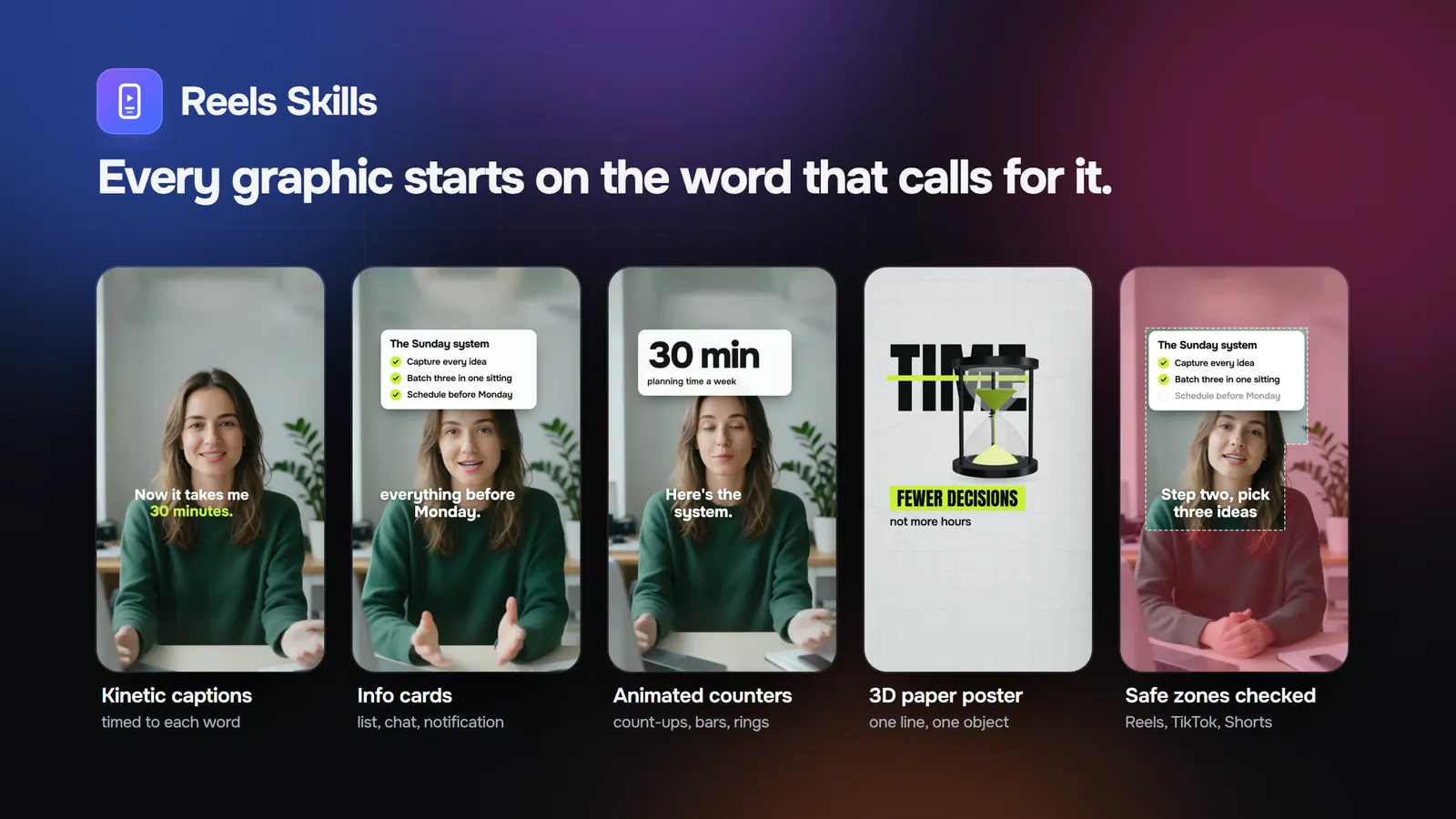
Six skills that edit vertical video the way a motion designer would: the pauses cut, captions timed to every word, a card when a step is named, a number that counts when it is said, a 3D poster for the line that matters, and every piece of text checked against the Reels, TikTok and Shorts safe zones before the render. It all renders on your computer.
Claude Code on Windows, macOS and Linux.
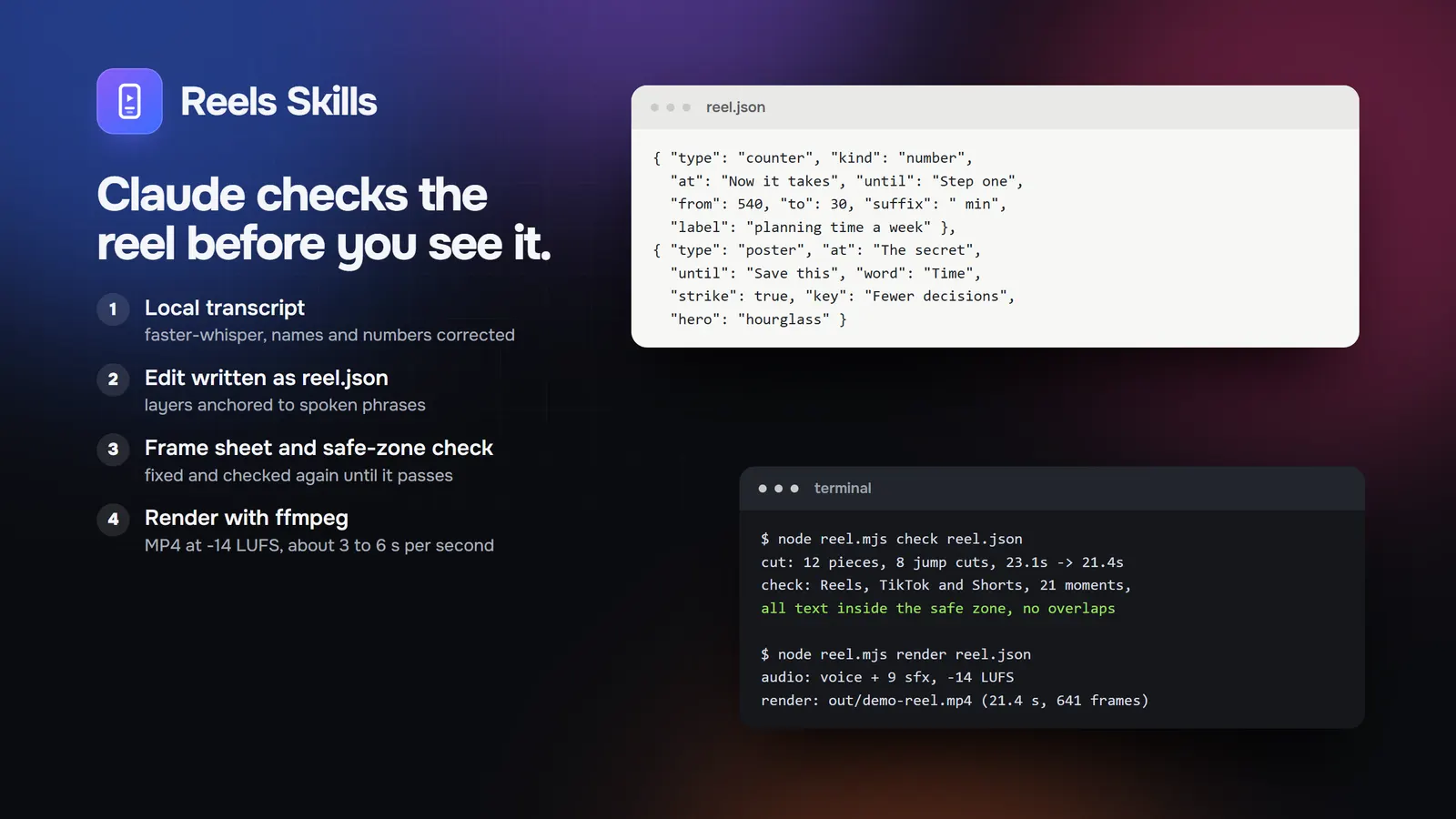
The whole job from clip to MP4: a local transcript, pauses cut with jump cuts and punch-ins, graphics anchored to the words that trigger them, a safe-zone check, sound mixed to -14 LUFS and the render.
Word-by-word captions in four styles (rise, box, karaoke, stack), split into short readable pages and kept inside the safe zone.
A checklist that ticks off each step as it is said, a phone notification, chat bubbles, a quote, a name tag, before and after, a call to action and text cards.
Count-ups and countdowns that land on the number the speaker says, a progress bar, a ring and versus bars, with fixed-width digits.
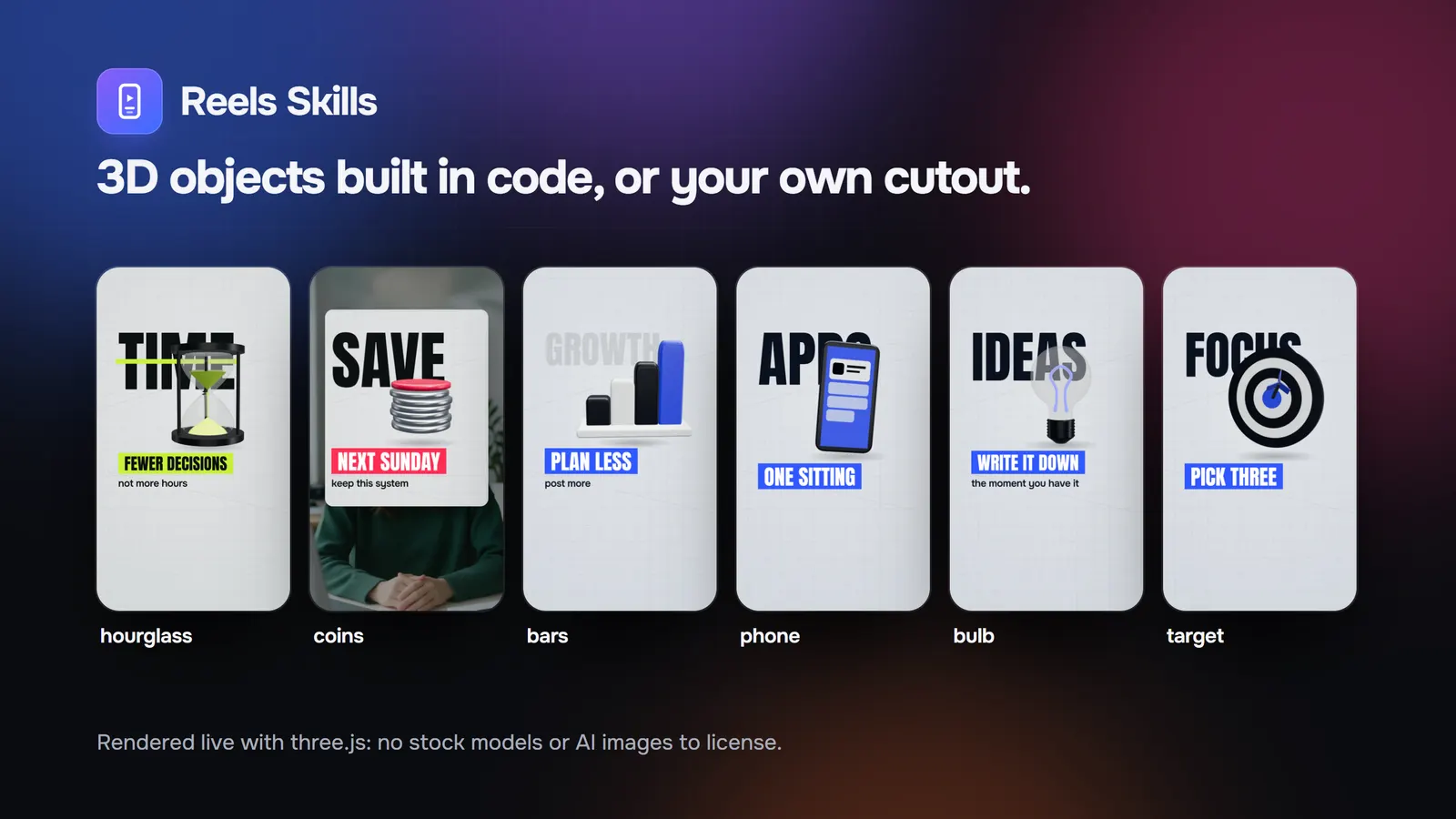
A full-screen paper poster for one line: a giant word, a 3D object rendered live (hourglass, coins, bar chart, phone, light bulb, target or your own cutout) and the key words in an accent block.
Measures every text box against the Reels, TikTok and Shorts safe zones and flags overlapping text, or shades the zones over any finished 9:16 video or image.
Calm motion where cards rise into focus and nothing bounces, one accent colour per reel, two open-licence fonts (Onest and Anton), and 3D objects built in code, so there are no stock models or AI images to license.
Download the ZIP and copy the skill folders into ~/.claude/skills with the command in the README.
Start Claude Code and ask in plain words, for example: Turn my-clip.mp4 into a reel with captions. The first time, Claude installs the engine's one dependency and checks ffmpeg and your browser.
Claude transcribes the clip on your computer, plans one visual per spoken idea, then checks a sheet of frames and the safe zones and fixes what fails.
It renders the reel as an MP4 in your folder.
A folder with written instructions (SKILL.md) and, here, the scripts and templates that do the work. Claude Code reads the instructions when your request matches and follows them step by step. You install a skill by copying its folder into ~/.claude/skills.
No. You copy the folders once with the commands in the README and ask in plain words, for example: Turn my-clip.mp4 into a reel with captions. Claude runs the setup check, the transcript, the cut and the render, and looks at the frames before it hands you the file.
No. Graphics are HTML drawn by your own Chrome or Edge through Playwright, and ffmpeg puts them over the clip. Nothing is uploaded.
Yes. The videos you make are yours, for your own channels and for clients. The fonts are SIL Open Font License, the sound effects are synthesized, and no music is included.
On our Windows test PC, 3 to 6 seconds per second of video, so a 30 second reel took two to three minutes. A slower computer takes longer.
Yes. Reels Skills Lite has the kinetic captions skill and the PDF guide.
Talking Head to Finished Reel with Captions, Cards, Counters and 3D Posters
Need help after you buy? Reply to your receipt email and describe what happened. We will help you get it running.
Free Kinetic Captions Skill for Claude Code
8 Skills for Shorts, Captions, Hooks, Carousels and Newsletters
9:16 Guides for Reels, TikTok, Shorts, Snapchat, LinkedIn and Pinterest