FocusDrop
Dim Everything but the Active Window on Windows
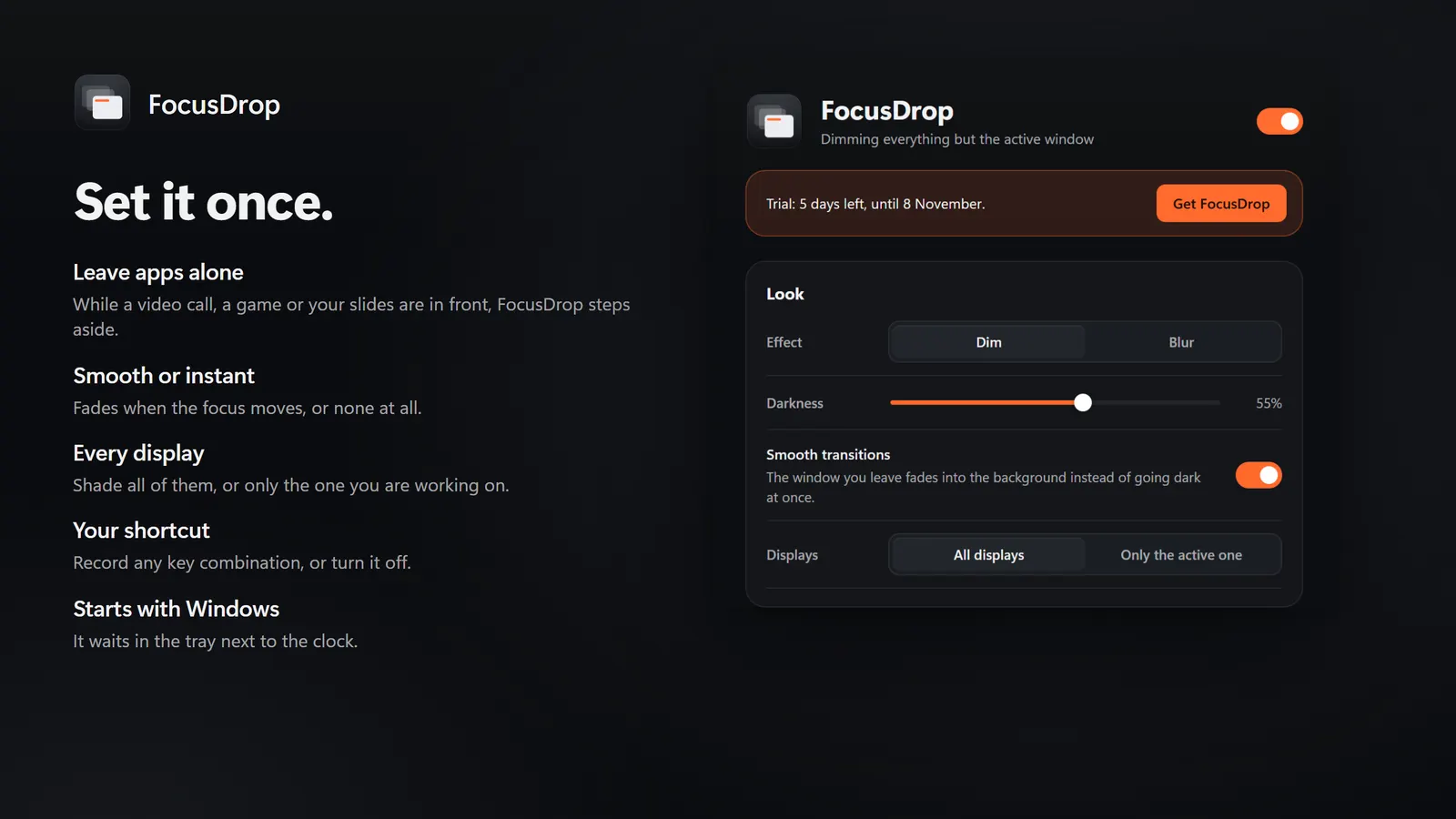
FocusDrop Lite is the whole app, with every setting, for 7 days from the first start. Everything behind the window you are working in goes dark or blurred, and a shake of the pointer turns it off and on. After 7 days it turns itself off, and Settings shows where to get the full version.
Windows 10 (1903 or later) and 11, 64-bit. Free for 7 days.
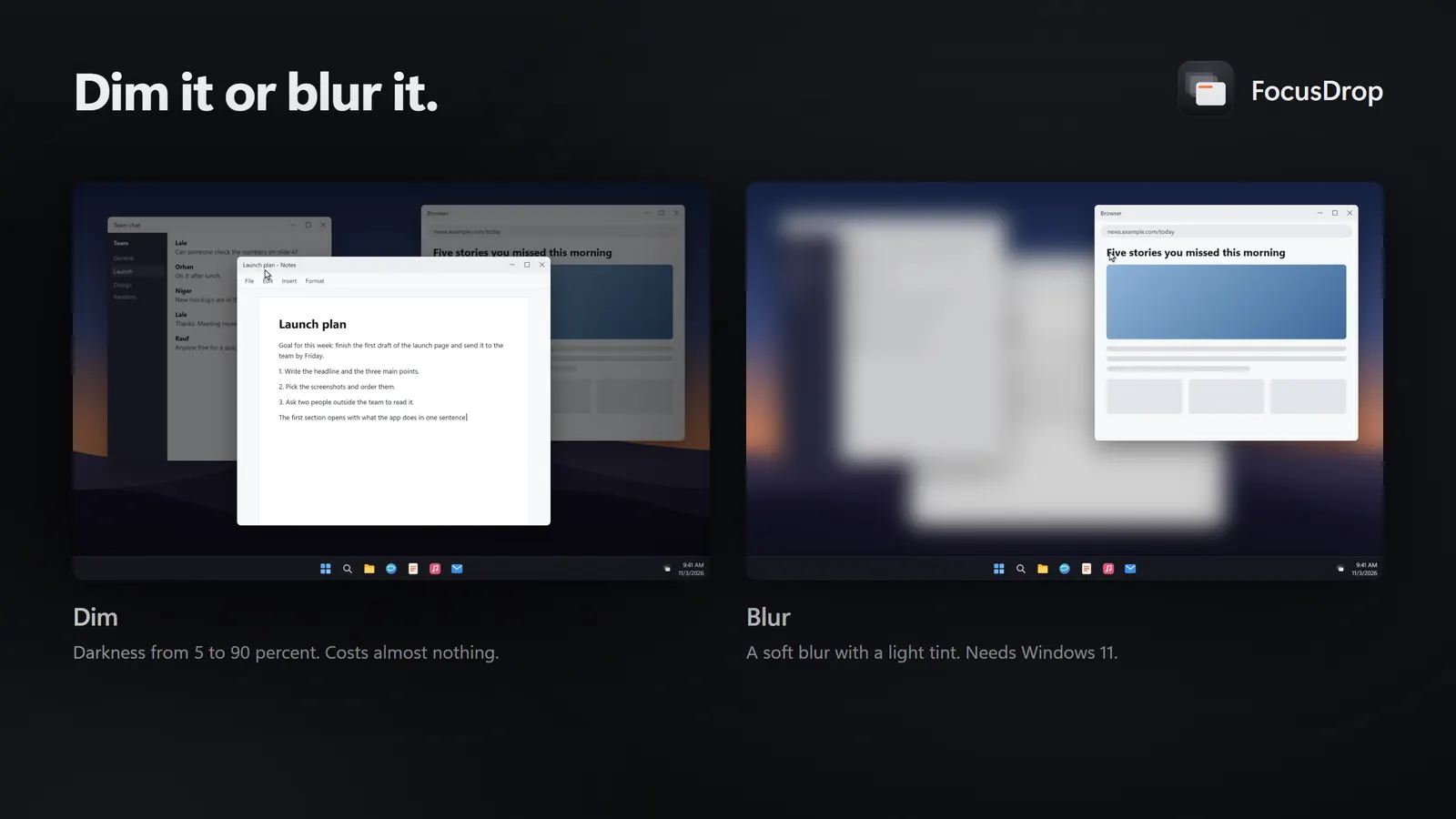
Dim works on Windows 10 and 11, with the darkness from 5 to 90 percent, changed live while you move the slider. Blur needs Windows 11 with transparency effects on.
The window you are working in, its menus and dialogs and the taskbar stay bright. Clicks go through the shade, so any window you click becomes the bright one.
Shake the pointer quickly left and right, press Ctrl+Alt+F or click the tray icon. Record your own shortcut if you prefer. A shake while you drag files does nothing here, so it never gets in the way of ShakeDrop.
While a listed app is in front, such as a video call, a game or your slides, FocusDrop steps aside.
The full FocusDrop installs over the trial and keeps your settings.
Patch's Windows apps are not code-signed yet, so the first time you run the installer Windows may say "Windows protected your PC". Click More info, then Run anyway.
Get it on Gumroad: type 0 as the price at checkout.
Install it. The 7 days start at the first start, and Settings shows the days left.
Shake the pointer, press Ctrl+Alt+F or click the tray icon to turn the shade off and on.
FocusDrop turns itself off. Nothing else on your PC changes. Uninstall it from Windows Settings, Apps, or install the full version over it.
No. It is the same app with every setting.
Yes. Enter 0 at checkout. If it helps you, you can pay what you like.
Dim uses almost no processor or graphics time: the shade is drawn once by Windows and stays still until something changes. Blur keeps the graphics chip busier, so choose Dim on battery.
FocusDrop comes from an independent developer and is not code-signed yet, so the first time you run the installer Windows may say "Windows protected your PC". Click More info, then Run anyway.
Free 7-Day Trial for Windows
Need help after you buy? Reply to your receipt email and describe what happened. We will help you get it running.
Dim Everything but the Active Window on Windows
A Free Desktop Cat for Your Windows Taskbar
Drag and Drop Shelf for Windows